The Full-Stack VA Starter Kit
Choose your services. Assess your skills. Get client-ready. Launch with confidence.
Instant digital download • Editable Excel workbook • Created for aspiring and beginner VAs

If you keep asking,
“Where do I even start?”
Maybe you have watched the videos. You have joined the groups. You have saved posts listing 47 services a virtual assistant can offer—and somehow, instead of feeling ready, you feel even more confused.
Do you need to learn all those tools? Should you offer social media management even if you do not enjoy social media? Can the things you already know how to do actually count as VA skills? And how ready do you need to be before speaking to a potential client?
The Full-Stack VA Starter Kit was created to help you answer those questions without adding another hundred things to your to-do list.
It walks you through the practical foundations of starting as a virtual assistant: identifying your strengths, choosing a focused service menu, building a lean tool stack, checking whether you are ready to work with a client, and following a 30-day plan that moves you from preparation to actual outreach.
What is inside the Starter Kit?
1. Your starting-point dashboard
Clarify the kind of client you want to support, the hours you can realistically work, your income goal, your launch date, and your first positioning statement. The dashboard updates as you complete the workbook.
2. Beginner VA tool stack
Review the tools virtual assistants commonly encounter, organized by purpose and learning priority. Rate your confidence, note what a prospective client uses, and choose your next learning action. The goal is not to collect subscriptions. It is to become comfortable with one solid tool in each essential category.
3. Service Menu Builder
Explore 31 possible VA services across executive support, administration, operations, customer care, content, marketing, publishing, websites, courses, events, finance administration, automation, and personal assistance. Select only the services you can deliver reliably, then define a clear starting scope.
4. Skills Inventory
Assess 44 practical skills covering communication, organization, administration, operations, client care, content, technology, business, and AI literacy. The workbook helps you see which skills are ready to offer, which need a clearer scope, and which require practice.
5. Client-Readiness Checklist
Work through 32 readiness points covering positioning, samples, professional profiles, workspace reliability, security, tools, delivery habits, business foundations, boundaries, and mindset.
6. 30-Day VA Launch Plan
Follow a paced plan that helps you choose an audience, define services, create samples, prepare your profile, organize pricing and documents, identify prospects, send thoughtful outreach, and review what happens next.
7. First Client Setup
Know what to do between “You are hired” and your first week of work: clarify scope, confirm communication rules, request secure access, capture preferences, document workflows, create an early win, and establish a feedback rhythm.
The kit is for you, if…
- You want to become a VA but feel overwhelmed by all the possible services and tools.
- You have useful experience but are unsure how it translates into virtual work.
- You want a practical plan instead of another motivational pep talk.
- You are ready to start learning and taking action without waiting until you feel perfectly prepared.
- You care about reliability, confidentiality, communication, and doing client work properly.

This kit may not be for you, if…
- You are looking for a guaranteed job, guaranteed income, or an instant-client formula.
- You want a complete VA course with video lessons and live coaching.
- You expect a template to replace practice, judgment, or professional responsibility.
How it works
- Download the Excel workbook after purchase.
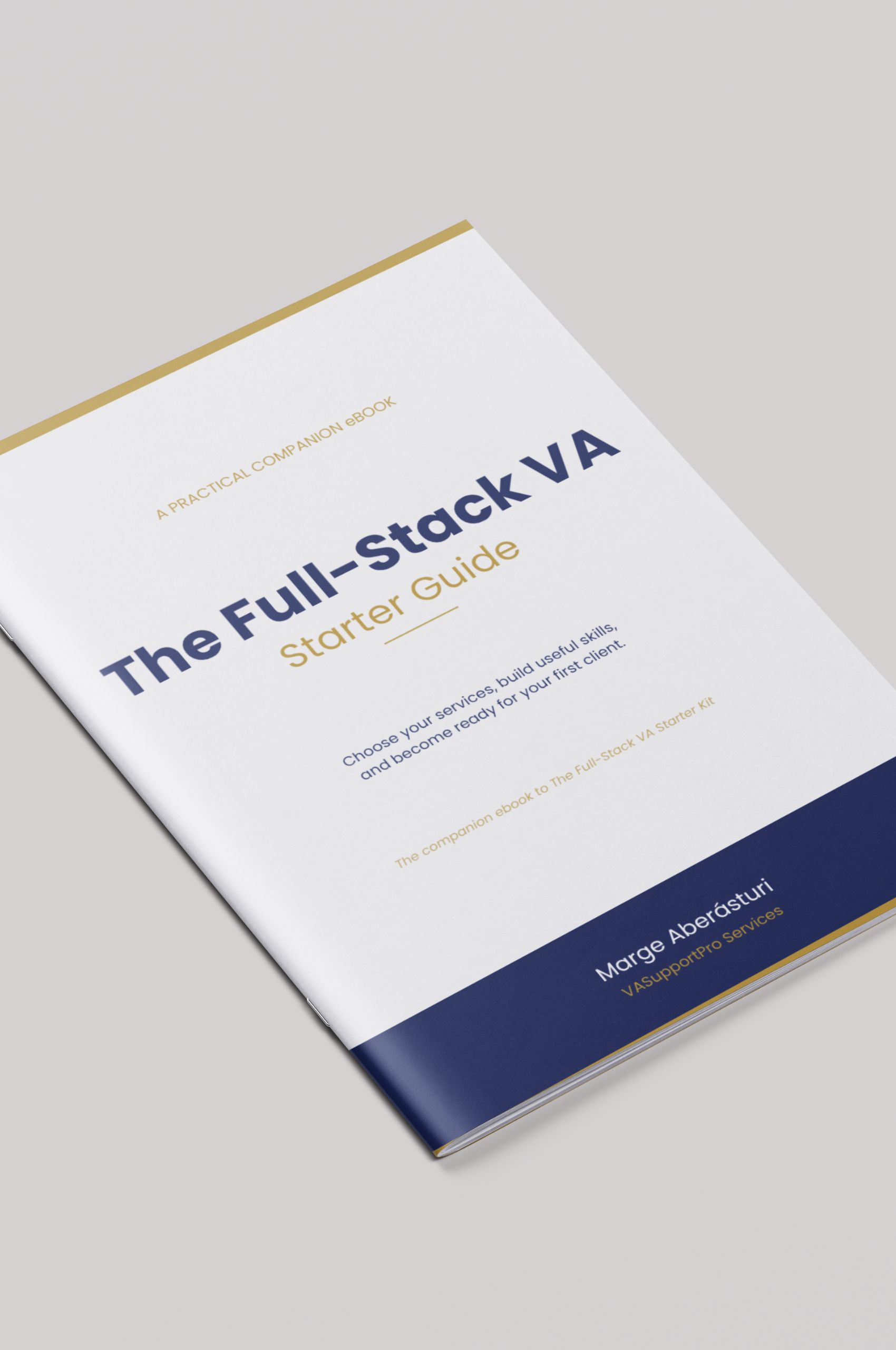
- Download the accompanying Starter Guide.
- Work through the tabs of the worksheet from left to right while going through the Guide.
- Edit the yellow cells (do not touch the green ones) and use the dropdowns to record your choices and progress.
- Return to the dashboard to see what is ready and what still needs attention.
- Use the 30-day plan to move from preparation to outreach and applications.
WHAT You will Receive
One editable Microsoft Excel workbook (.xlsx)
A Full-Stack VA Starter Companion Guide (eBook)
Sample language and recommended starting actions throughout the kit
Seven organized worksheets with guided prompts and dropdowns
Automatic progress calculations on the starting dashboard
TECHNICAL REQUIREMENTS
The workbook is designed for Microsoft Excel. It may open in other spreadsheet applications, but formatting, dropdowns, comments, or formulas may behave differently. Microsoft Excel is recommended for the intended experience.
Digital-product notice
This is a digital download. No physical product will be shipped. Because the file is delivered immediately, digital purchases are generally final except where required by applicable law. Buyers should review the product details and technical requirements before purchasing.
License language
Purchase includes a personal-use license for one buyer. The workbook may be used for the buyer’s own VA business and career preparation. It may not be resold, redistributed, shared, uploaded to a template library, copied for clients or students, or presented as the buyer’s own product. Separate educator, team, or commercial licensing may be offered later.
You do not have to become every kind of VA. You need a clear place to begin—and a practical next step after that.
Start building your VA foundation today.
frequently asked questions
Is this a course?
No. This is a guided, editable workbook. It does not include video lessons, live coaching, job placement, or certification.
Do I need a previous VA experience?
No. The kit is designed to help you identify relevant experience and transferable skills. You will still need to practice any service you cannot yet deliver reliably.
Will this help me choose which services to offer?
Yes. The Service Menu Builder and Skills Inventory work together so you can select a focused starting offer instead of copying a long generic list.
Does the kit include recommended VA tools?
Yes. The Tool Stack is organized by purpose and learning priority, with official links and space to rate your confidence and record what a client uses.
Will this guarantee that I get a client?
No. No ethical product can guarantee employment or income. The kit helps you become more focused, prepared, and intentional in your applications and outreach.
What application do I need?
Microsoft Excel is recommended. Other spreadsheet apps may open the file, but some formatting, comments, dropdowns, or formulas may behave differently.
Can I share the workbook with a friend or class?
The standard purchase is licensed to one buyer for personal use. It may not be shared, copied, redistributed, or resold.
Is this suitable for experienced VAs?
It is primarily designed for aspiring and beginner VAs. Experienced VAs may still find the skills, service, and readiness audits useful when repositioning.
Is this only for Filipino VAs?
No. The workbook can be used anywhere. Some launch messaging speaks especially to Filipino beginners because that is part of the creator’s lived experience, but the system itself is broadly applicable.